Most break reminders rely on a plain clock, so the alarm still fires the instant a fifty minute timer runs out, even if you spent thirty of those minutes away from the desk getting a coffee, because the timer has no way of knowing that you already sat back down.
I already wear a smartwatch that vibrates on my wrist whenever I have been sitting too long, which helps, although it tracks the wrong thing, since it watches my wrist rather than my desk, so that a handful of arm movements is enough to convince it that I got up while I am still in the same chair, in front of the same screen.
I am also the kind of person who concentrates hard enough to lose track of time entirely, so that eyestrain is usually the first sign I get that I went too far.
Because I wanted something that watches the desk instead, I turned to a piece of 2009 e-waste sitting in the corner of it: a Samsung N130 netbook with a single core Intel Atom processor and 1GB of RAM. It runs Void Linux, and it is the same machine that I turned into a basement WiFi router a few months ago.
I made it a desk sentinel that checks whether I am really sitting in front of the workstation, counts work time only while I am there, and speaks up once I stay too long.
 Image credits to: Bananayota, found on Pixabay
TL;DR
- The basic idea: when something moves in the webcam frame, it means I am at the desk. If I stay at the desk too long without a break, the netbook speaks up.
- An old Samsung N130 netbook running Void Linux works as that desk sentinel.
motionwatches the built-in webcam and, on every start and stop of movement, writesactiveoridleinto a plain state file.- A small Nim daemon reads that file and tracks continuous desk time with a live one line progress bar, so that once the limit is reached, it calls
espeak-ngandwall, while an absence under 5 minutes never resets the clock. - Nothing is recorded, because the video feed never leaves the netbook and no frame is written to disk.
- The daemon runs as an unprivileged supervised
runitservice that costs 0.01% of one core and 2 MB of RAM, sincemotionis the real cost on this hardware.
🧠 The idea: passive webcam presence tracking
Camera based presence trackers usually load a face detection or object detection model, such as an OpenCV neural network or a Haar cascade, which is a lot of work for a 1.6GHz single core Atom and more than I actually need, since I do not care who is at the desk and only need to know whether something in the frame moves.
So, instead of writing a camera loop myself, I used an existing C daemon that already does exactly that: motion.
motion detects movement on /dev/video0 by comparing consecutive frames, which is cheap compared to a detection model, and it can also run a command the moment it decides that motion started or stopped.
On privacy
Because this matters to me, it is worth stating plainly that the setup records nothing: although motion can save pictures and videos, every output option is switched off here, so frames are compared in memory and then dropped, no image reaches the disk, no image leaves the machine, and the netbook has no cloud account attached to it.
Only one thing crosses the boundary between motion and the rest of the system, which is a single word in a text file, either active or idle, since I do not want to hand a camera in my work room to a third party, and here there is no third party to hand it to.
movie_output can still be switched on temporarily, for example while aiming the webcam or debugging a detection problem, since a saved clip is the fastest way to see what motion actually sees; I just turn it back off once the camera is aligned and the daemon behaves as expected.
🔌 Configuring motion to detect presence
motion has event hooks, and I use two of them:
on_event_start: runs on the first detected motion, which means somebody just sat down at the desk.on_event_end: runs afterevent_gapseconds without motion.
Rather than spawn a shell script on every frame, I let motion write one word into /tmp/presence_state.
In /home/andrea/webcam-capture/config/motion.conf:
# /home/andrea/webcam-capture/config/motion.conf
# Optimized for low-resource Void Linux netbook (1GB RAM, weak CPU)

# Run in foreground for runit supervision
daemon off

# Logging
log_level 5
log_type all

# Target Device (Default: /dev/video0)
video_device /dev/video0
video_params palette=8
width 320
height 240
framerate 15

# Motion Detection Tuning
threshold 375
noise_level 32
despeckle_filter EedDl

# Event lifetime (seconds of no motion before closing event)
event_gap 60
minimum_motion_frames 2

# Output files
target_dir /var/opt/webcam/motion
picture_output off
movie_output off
movie_max_time 60
movie_quality 60
movie_codec mkv

# Text overlay
text_right %Y-%m-%d\n%T
text_left Camera 1

# Disable built-in web control & streaming server to preserve system resources
webcontrol_port 0
stream_port 0

# Event hooks for presence detection
on_event_start echo active > /tmp/presence_state
on_event_end echo idle > /tmp/presence_state
There are no quotes around the shell commands, because motion passes the whole line to /bin/sh -c exactly as written, so that wrapping it in quotes would turn the > redirection into literal text and leave the command failing silently instead of updating the state file.
Since event_gap 60 means that motion tolerates a full minute of stillness before it decides that you are gone, the state does not flip to idle every time you pause to think. The Nim daemon below holds a second, independent threshold of 5 minutes, which decides whether an absence counts as a real break and resets the work clock, so that short pauses survive both thresholds.
Because Void Linux mounts /tmp/ as a tmpfs, an in memory filesystem, reading and writing /tmp/presence_state never touches the disk.
motion runs as its own supervised service, pointed at that configuration.
/etc/sv/webcam-motion/run:
#!/bin/sh
exec 2>&1
exec motion -n -c /home/andrea/webcam-capture/config/motion.conf
👑 The Nim state monitor, timer and live countdown
Since motion already handles video capture and frame analysis in C, the daemon only has to read /tmp/presence_state every few seconds and keep a timer.
I wrote it in Nim, which compiles to native code with a small runtime, and that matters on a 1.6GHz single core Atom.
The program takes three optional command line arguments:
- Work limit in minutes: active minutes before the alarm, 60 by default.
- Language code: the language passed to
espeak-ng, for exampleitoren,itby default. - Custom message: an optional string to speak. If it is empty, the daemon builds a default message in the chosen language.
Live display and shared countdown
Instead of printing a fresh line every 10 seconds, the status line rewrites itself in place with \r, while a small progress bar shows how much of the work limit has gone:
[##########----------] Active 0m 30s | Remaining 0m 30s
Because the remaining time also goes into /tmp/break_countdown on every tick, and that file lives on tmpfs too, it stays cheap enough to pull into a tmux status bar, a shell prompt or a small terminal window:
watch -n 10 cat /tmp/break_countdown
Installing the speech synthesizer
sudo xbps-install -S espeak-ng
The Nim code (break_reminder.nim)
import std/[os, osproc, strformat, strutils]

const
  StateFile = "/tmp/presence_state"
  CountdownFile = "/tmp/break_countdown"
  TickSeconds = 10
  BreakLimit = 5 * 60 ## minimum absence (seconds) that counts as "took a break"
  BarWidth = 20

func formatTime(seconds: int): string =
  fmt"{seconds div 60}m {seconds mod 60:02}s"

func progressBar(done, total: int): string =
  let filled = clamp((done * BarWidth) div max(total, 1), 0, BarWidth)
  "[" & repeat('#', filled) & repeat('-', BarWidth - filled) & "]"

proc presenceState(): string =
  try: readFile(StateFile).strip()
  except IOError: "idle"

proc writeCountdown(text: string) =
  try: writeFile(CountdownFile, text & "\n")
  except IOError: discard

proc showStatus(line: string) =
  stdout.write "\r" & alignLeft(line, 70)
  stdout.flushFile()

proc speak(lang, text: string) =
  discard execProcess("espeak-ng", args = ["-v", lang, text], options = {poUsePath})

proc triggerAlarm(minutes: int, lang, customMsg: string) =
  echo fmt"BREAK TIME LIMIT REACHED ({minutes} minutes)!"
  let text =
    if customMsg.len > 0: customMsg
    elif lang == "it": fmt"Andrea, fai una pausa! Hai lavorato per {minutes} minuti."
    else: fmt"Andrea, please take a break! You have been working for {minutes} minutes."
  speak(lang, text)
  discard execProcess("wall", args = [fmt"TAKE A BREAK NOW! You have been active for {minutes} minutes."], options = {poUsePath})

proc parseMinutes(s: string): int =
  try: parseInt(s)
  except ValueError: 60

proc paramOrDefault(idx: int, default: string): string =
  if paramCount() >= idx and paramStr(idx).len > 0: paramStr(idx) else: default

proc main =
  let workLimitMinutes = if paramCount() >= 1: parseMinutes(paramStr(1)) else: 60
  let lang = paramOrDefault(2, "it")
  let customMsg = if paramCount() >= 3: paramStr(3) else: ""
  let workLimitSeconds = workLimitMinutes * 60

  echo "Presence-Aware Break Reminder started (Void Linux, motion-integrated)."
  echo fmt"Work limit: {workLimitMinutes}m | Language: {lang}"
  if customMsg.len > 0: echo fmt"Custom message: {customMsg}"

  var presentSeconds, absentSeconds = 0

  while true:
    sleep(TickSeconds * 1000)
    case presenceState()
    of "active":
      presentSeconds += TickSeconds
      absentSeconds = 0
      let remaining = max(0, workLimitSeconds - presentSeconds)
      showStatus fmt"{progressBar(presentSeconds, workLimitSeconds)} Active {formatTime(presentSeconds)} | Remaining {formatTime(remaining)}"
      writeCountdown(formatTime(remaining))
    else:
      absentSeconds += TickSeconds
      let remaining = max(0, workLimitSeconds - presentSeconds)
      if absentSeconds >= BreakLimit and presentSeconds > 0:
        stdout.write "\n"
        echo "Away for 5+ minutes: work clock reset."
        presentSeconds = 0
        writeCountdown("0m 00s (reset)")
      else:
        showStatus fmt"{progressBar(presentSeconds, workLimitSeconds)} Away, countdown paused: {formatTime(remaining)}"
        writeCountdown(fmt"{formatTime(remaining)} (paused)")

    if presentSeconds >= workLimitSeconds:
      stdout.write "\n"
      triggerAlarm(workLimitMinutes, lang, customMsg)
      presentSeconds = 0
      writeCountdown("0m 00s (alarm reset)")

main()
That listing is the part of the project I enjoy most, since Nim uses significant indentation, no braces and no semicolons, while type inference keeps let and var declarations short, so that if you can read Python, you can read the loop above without learning anything new first.
Underneath, though, the resemblance stops, because Nim is statically typed and compiles ahead of time through a C backend, so that the result is a plain ELF binary, around 70KB once the symbols are stripped: there is no interpreter to install on the netbook, no virtual environment and no package tree to keep in sync, since I copy one file over scp and runit starts it.
Although the same daemon would work just as well in Python, it would also drag in the CPython runtime and hold tens of megabytes of RAM instead of two, which is a real difference on a machine with 975 MB of it.
What it looks like when it runs
Here is the daemon running end to end on the netbook, with the limit set to 1 minute for the demo (break_reminder 1 en); because every bracketed line overwrites the previous one through \r in a real terminal, they are split one per line below so that you can read them:
Presence-Aware Break Reminder started (Void Linux, motion-integrated).
Work limit: 1m | Language: en
[###-----------------] Active 0m 10s | Remaining 0m 50s
[######--------------] Active 0m 20s | Remaining 0m 40s
[##########----------] Active 0m 30s | Remaining 0m 30s
[#############-------] Active 0m 40s | Remaining 0m 20s
[################----] Active 0m 50s | Remaining 0m 10s
[####################] Active 1m 00s | Remaining 0m 00s
BREAK TIME LIMIT REACHED (1 minutes)!
Here is what the synthesized voice alarm sounds like:
A note on the custom message argument
Because triggerAlarm builds the espeak-ng and wall calls with execProcess(..., args = [...], options = {poUsePath}) instead of a concatenated shell string, no custom message can ever break out into a second command: passing the arguments as an array skips the shell entirely, so a message like foo"; rm -rf ~ # has nothing left to escape.
I confirmed this by handing the daemon a message that carried exactly that kind of payload; no file appeared, and espeak-ng instead read the whole exploit attempt out loud, word by word, quotes and semicolons included, which is the proof I wanted.
🐧 Under the hood: the Void Linux runit supervision model
Instead of systemd, Void Linux uses runit as its init and service supervisor, because it is fast, predictable and small.
The service lifecycle uses three directories:
- The registry (
/etc/sv/): every available service. Each one is a folder, for example/etc/sv/break-reminder/, holding an executable script namedrun. - The active registry (
/var/service/): symlinks to folders in/etc/sv/. A symlink here means the service is enabled. Remove it and the service is disabled. - The supervisor:
runsvdirwatches/var/service/. When it sees a new symlink, it forks a dedicatedrunsvprocess for that service.
Once runsv runs the break-reminder service, it has one job, which is to keep the daemon alive, so that if the daemon crashes or gets killed, runsv restarts it right away.
🛠️ Setting up the supervised service
Compile in release mode, optimized for size, then strip the debug symbols with the standard strip utility:
nim c -d:release --opt:size break_reminder.nim
strip --strip-all break_reminder
ls -l break_reminder
-rwxrwxr-x 1 andrea andrea 71712 Sep 5 18:14 break_reminder
About 70KB, which is small enough that it is easy to forget it is even there.
Step 1: create the registry folder
sudo mkdir -p /etc/sv/break-reminder
Step 2: write the conf and run scripts
Because Void service scripts, sshd included, keep their configuration in a separate conf file, the run script sources it first.
/etc/sv/break-reminder/conf:
LIMIT_MINUTES=60
LANGUAGE=it
CUSTOM_MESSAGE=
/etc/sv/break-reminder/run:
#!/bin/sh
exec 2>&1
[ -r conf ] && . ./conf
exec chpst -u andrea /home/andrea/bin/break_reminder "${LIMIT_MINUTES:-60}" "${LANGUAGE:-it}" "${CUSTOM_MESSAGE:-}"
Two details are worth calling out, since runsv starts services as root by default while this daemon only reads and writes files under /tmp and calls espeak-ng and wall, both of which work fine as a regular user because my account is in the audio group, so chpst -u andrea drops the privileges before exec runs, which itself replaces the shell process with the compiled binary instead of running it as a child, so that runsv ends up supervising the daemon directly rather than a shell wrapper around it.
Step 3: make the script executable
sudo chmod +x /etc/sv/break-reminder/run
Step 4: symlink and activate
sudo ln -s /etc/sv/break-reminder /var/service/
runsvdir picks up the new symlink and starts the service.
🎛️ Managing the service
sudo sv status break-reminder
sudo sv stop break-reminder
sudo sv start break-reminder
📏 Real resource measurements
Because numbers in a post like this are usually guessed, I sampled the running processes on the netbook instead: CPU time comes from the utime and stime fields of /proc/PID/stat, at 100 ticks per second, while resident memory comes from VmRSS.
| Process | RSS | CPU |
|---|---|---|
break_reminder | 2.0 MB | 0.01% of one core |
motion | 24.3 MB | ~4.4% of one core |
Since the Nim daemon burned only 3 ticks over a 300 second window, that is 30 milliseconds of CPU in five minutes, which works out to 0.01% of one core: it is small, but it is not zero, so I print the real figure instead of rounding it away.
Camera settings
The instinct is to point motion at the camera’s full 640x480, since that is the resolution it defaults to, but a presence sentinel does not need to resolve faces or text, only enough pixels to tell whether something in the frame moved. Because frame differencing scales with pixel count, cutting the capture to 320x240, a quarter of the pixels, cuts the CPU cost by roughly the same factor:
| Resolution | RSS | CPU |
|---|---|---|
| 640x480 | 40.4 MB | ~12.7% of one core |
| 320x240 | 24.3 MB | ~4.4% of one core |
motion’s own framerate setting only discards frames after they have already been captured, so there is no reason to ask for anything below the camera’s native rate: v4l2-ctl --list-formats-ext shows this webcam only offers discrete capture rates of 15fps or 30fps, so framerate is set to 15.
threshold, the number of changed pixels needed to register motion, is an absolute pixel count rather than a percentage of the frame, so it has to scale with the resolution: it is set to 375 here, calibrated against the total pixel count of a 320x240 frame.
I confirmed that value with real movement rather than trusting the arithmetic alone: with full debug logging on, sitting normally and typing, without any deliberate waving, still produced a motion_detected: Motion detected - starting event 1 line within 14 seconds. The lower resolution loses nothing that this project needs.
What the whole system uses
The more interesting number is not the daemon, but how little the rest of the machine needs:
               total        used        free      shared  buff/cache   available
Mem:             975         104         723           0         175         871
Because 975 MB is what the firmware leaves to Linux out of the nominal gigabyte, and the machine uses only 104 MB with everything running, including motion, the break reminder, sshd and about 130 processes, there is little left to explain once the roughly 24 MB that motion holds is subtracted.
That leaves 871 MB available, close to 89% of the installed RAM, on hardware sold in 2009, where there is no desktop environment, no display manager and no systemd, which is why Void Linux with runit and a text console still makes a 1GB machine feel roomy.
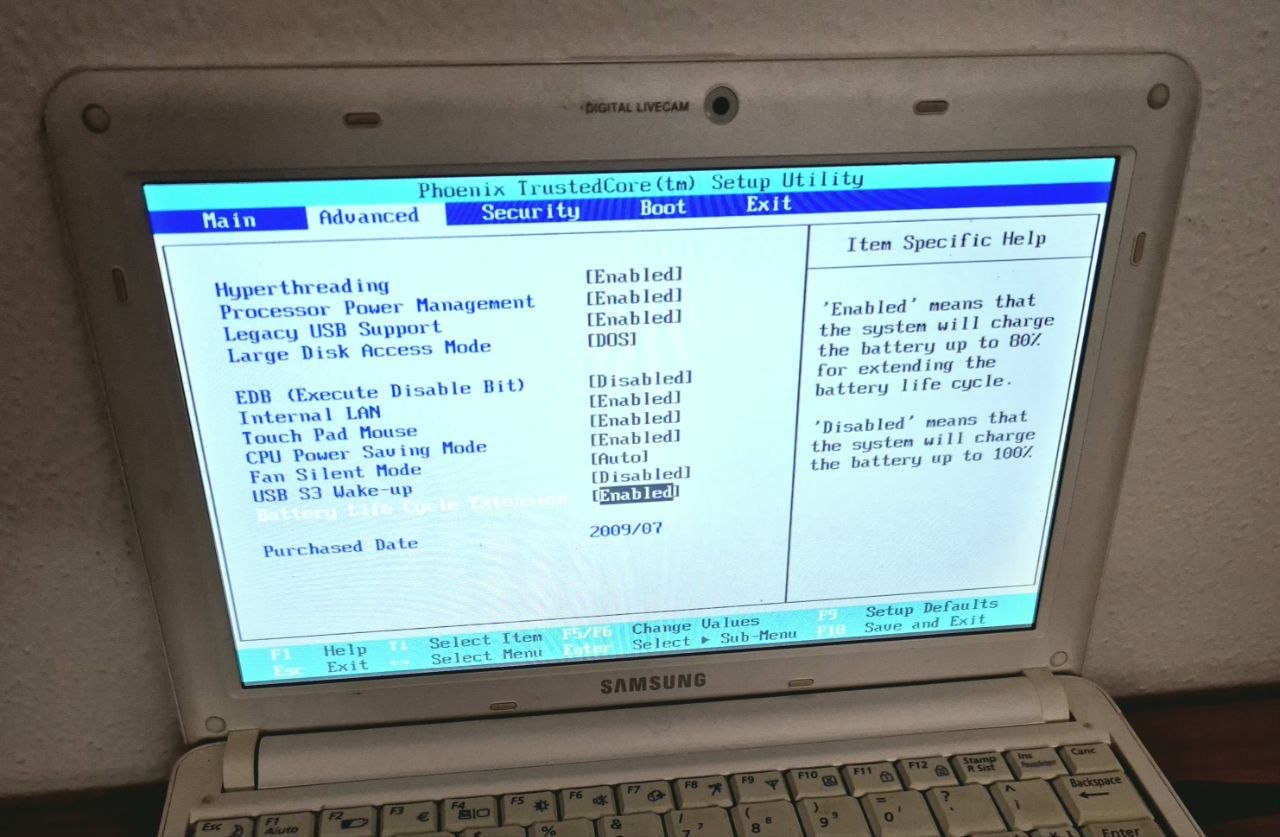
Here is the netbook’s BIOS setup screen, which is a reminder of its single-core 1.6GHz Intel Atom roots and of the hardware limitations that this project keeps squeezing against:
📊 Conclusion
Since this is a quality of life and health project before it is a tinkering project, and eyestrain and lost hours creep up on me whenever I am deep in a problem, something other than my own judgment now keeps score, and unlike the smartwatch on my wrist, it cannot be fooled by me fidgeting in the chair.
The parts are all standard Void Linux components, espeak-ng, runit, tmpfs and the event hooks that motion already ships, while on top of them sits a stripped 70KB Nim binary. Because motion is the heavy tenant, the netbook now does this job instead of serving as my basement WiFi router, which is a decent second career for a machine that was written off as obsolete more than a decade ago.

